






Our customers can request the installation of a smart meter which is free of charge for standard installations. Fees may apply for non-standard installations. Where possible, we will advise you in advance if this is the case.
 Get you ready for solar and/or batteries and;
Enable you to access usage data through MyAccount to help you save.
Complete the form below if you’d like to request a meter upgrade and our team will lodge your request to our preferred metering coordinator as soon as possible. We will contact you if we need any further information.
For stand-alone buildings, the meter is most likely located on the outside in one of the following locations:
Depending on your location and when the property was built, the meter may be located indoors in one of the following locations:
For apartments, duplexes, or other multi-dwelling buildings, meters are most likely to be together in one place. This will either be in the basement, carpark or in a cabinet on your floor.
Meters and meter boxes are designed to be very safe pieces of equipment, but they can deteriorate over time. Before reading your meter, check for:
If you see anything that’s potentially hazardous, do not touch it or attempt to fix it yourself. Contact us instead and we’ll advise the appropriate next steps depending on where the damage appears.
When you’ve located your meter and confirmed safe access, refer to the below images to identify which type of meter you have and how to read it.
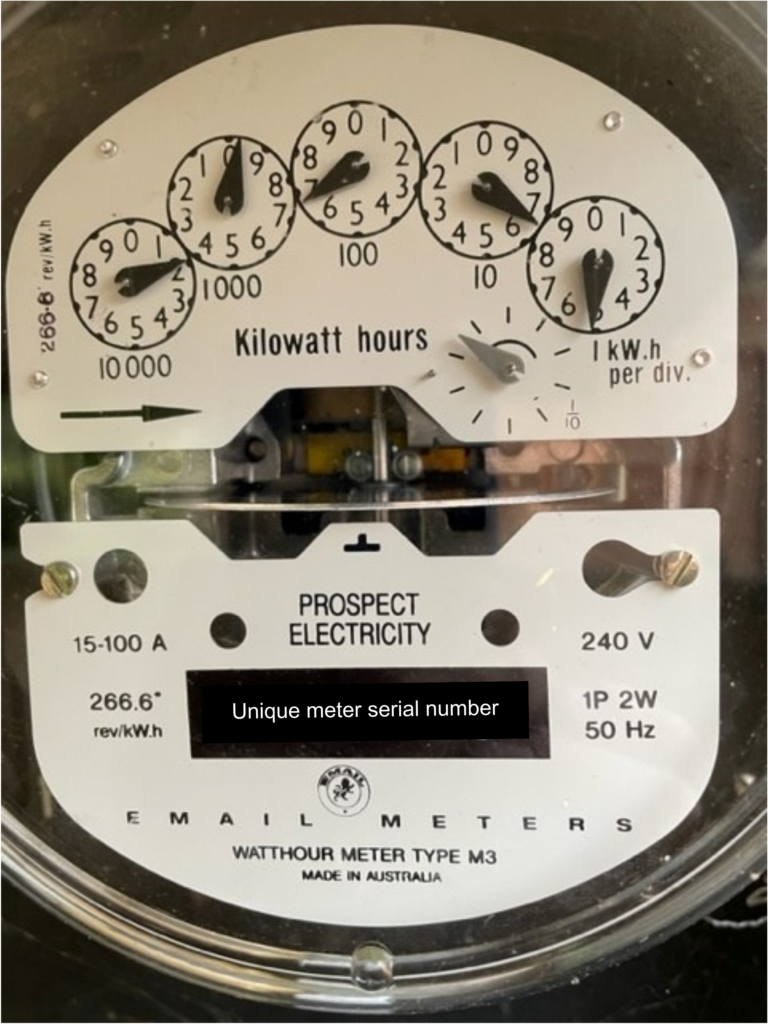
This reading is 19665
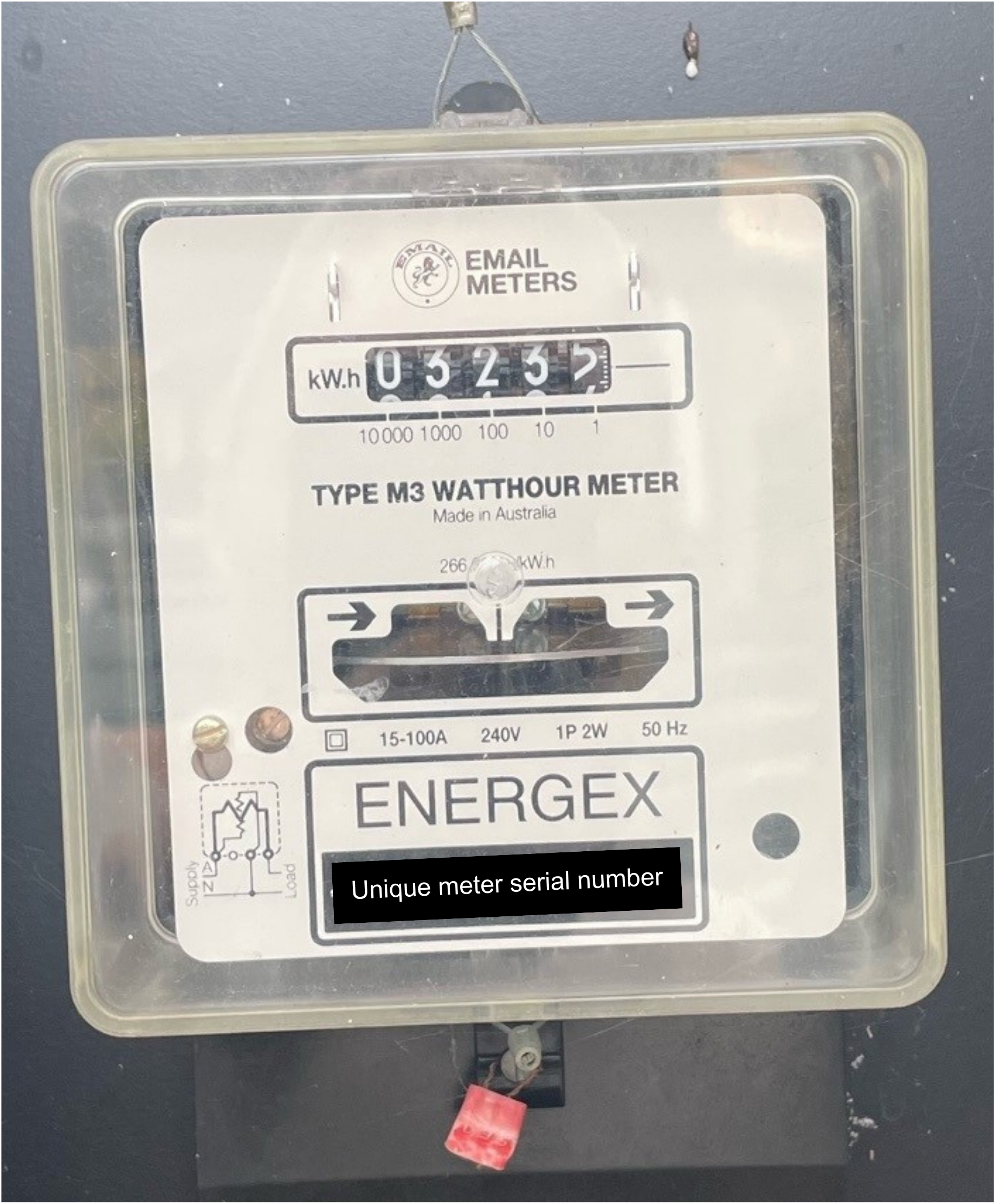
This reading is 03234
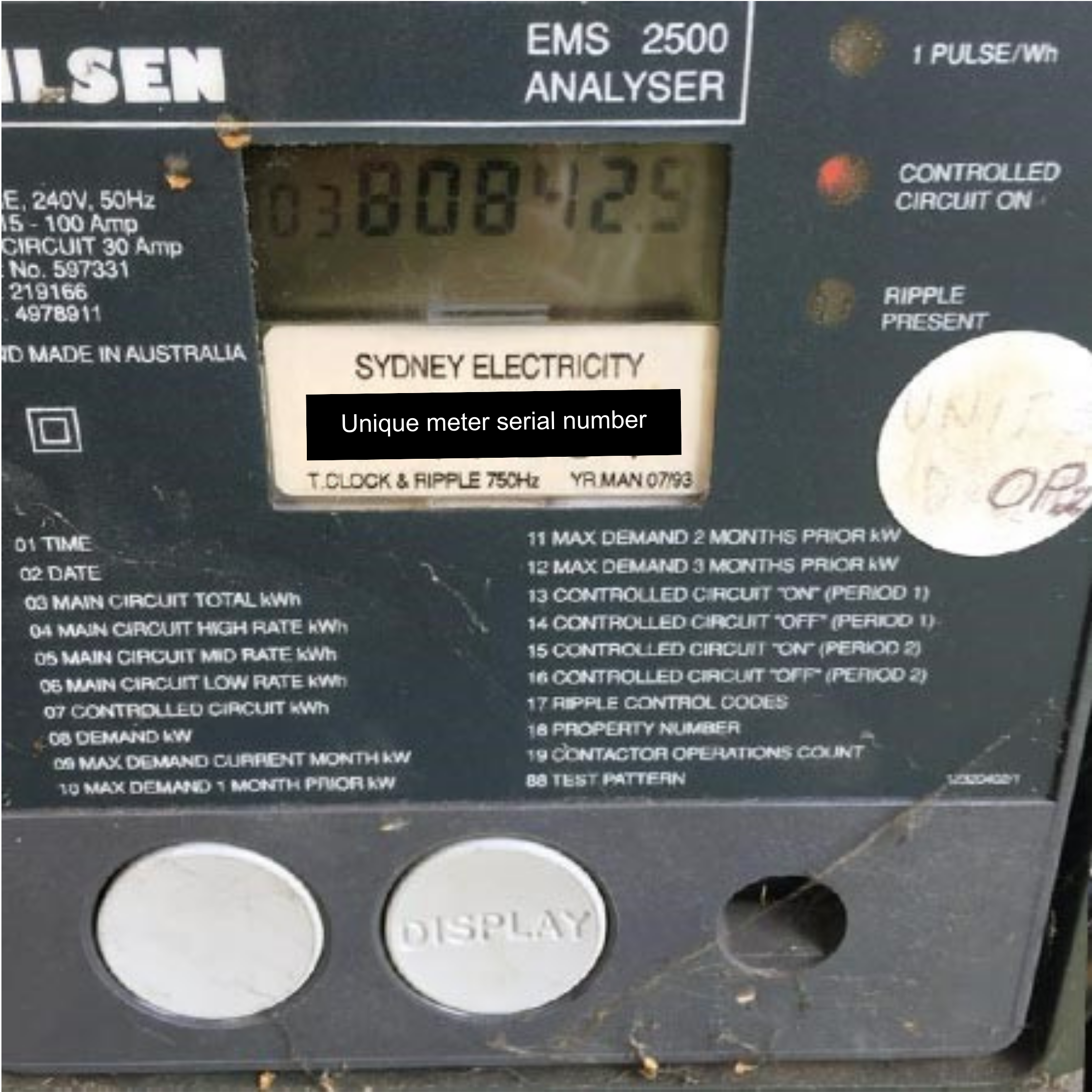
This reading is 80842
How to read:
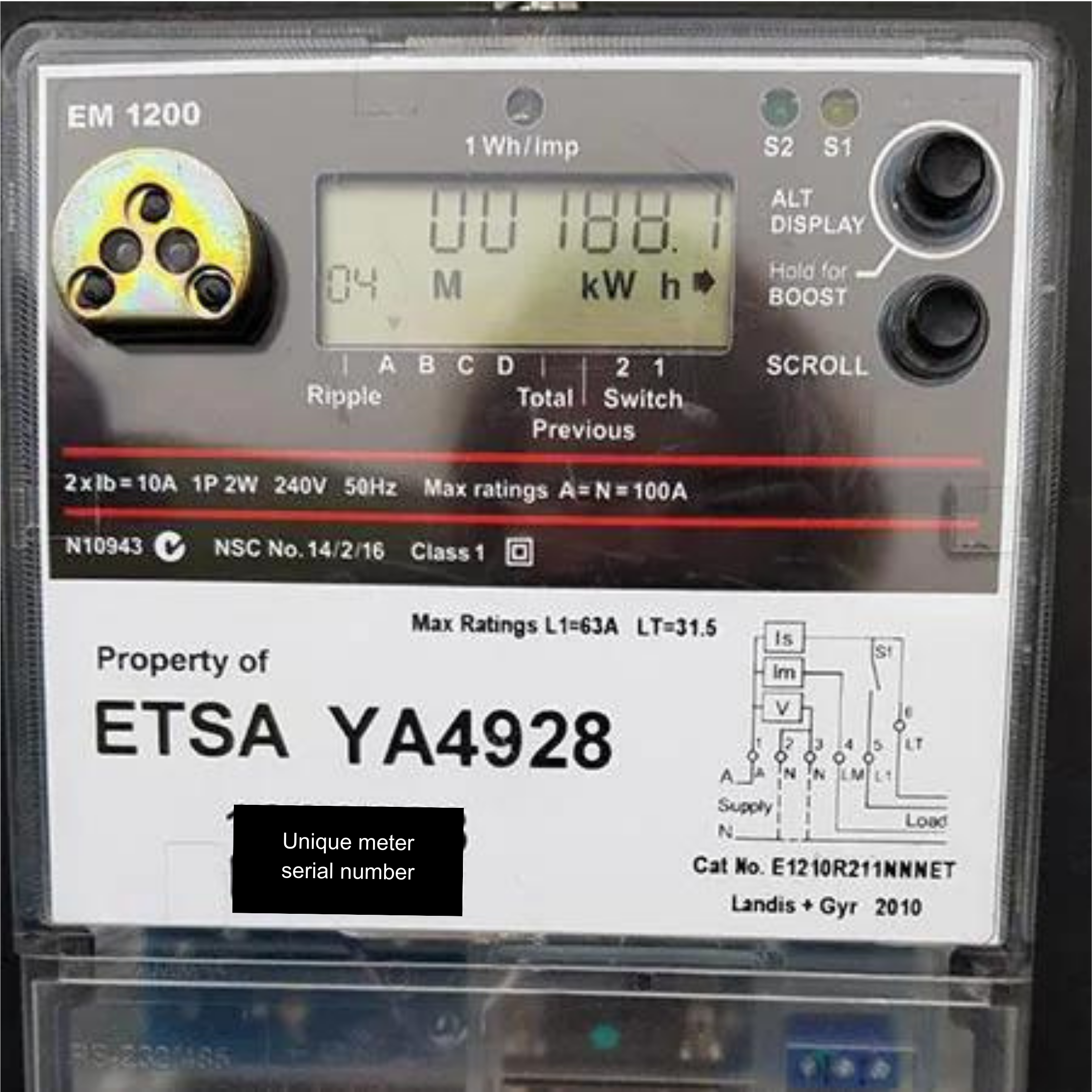
This reading is 00188
How to read:
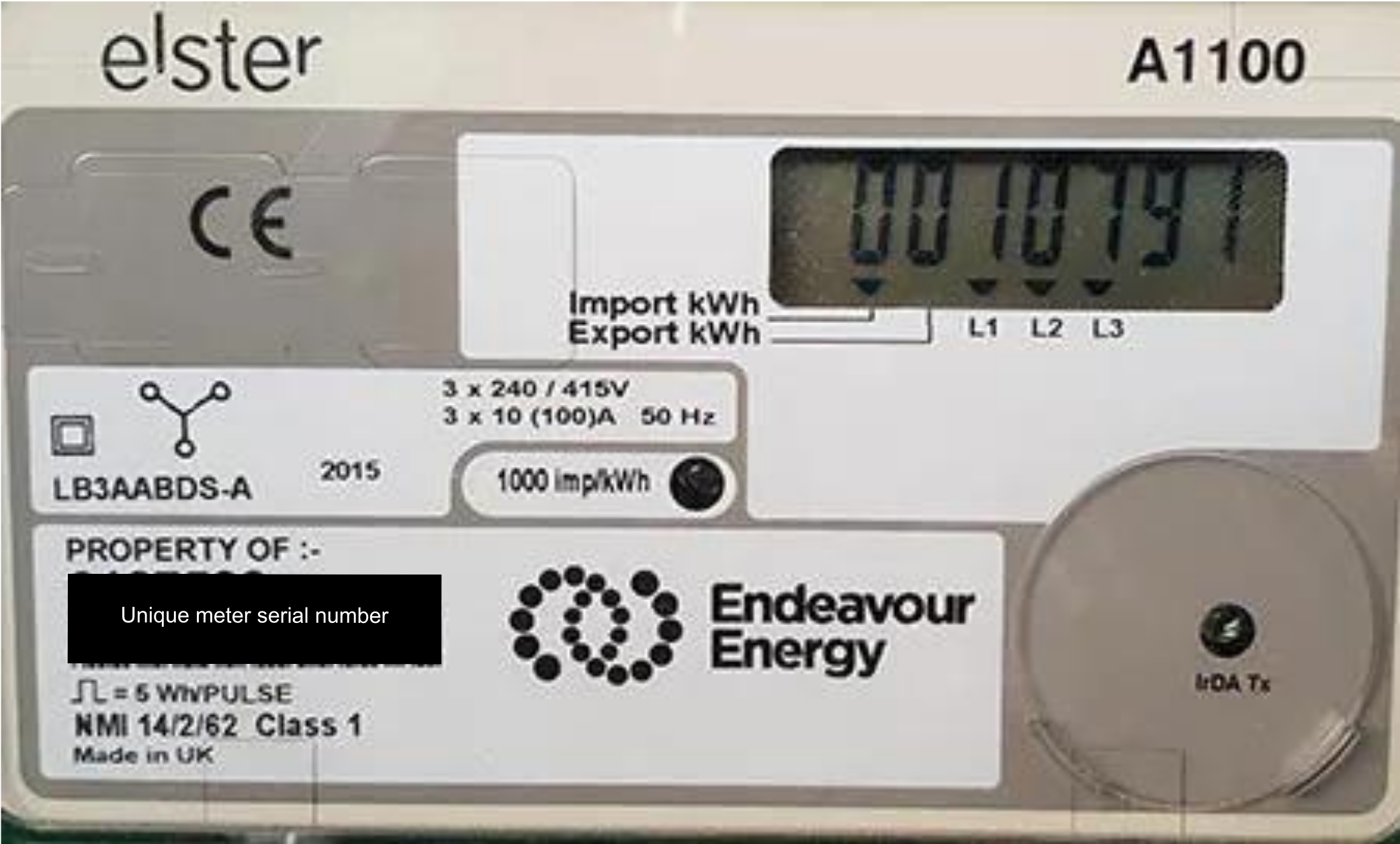
This Type 3 meter reading is 0010791
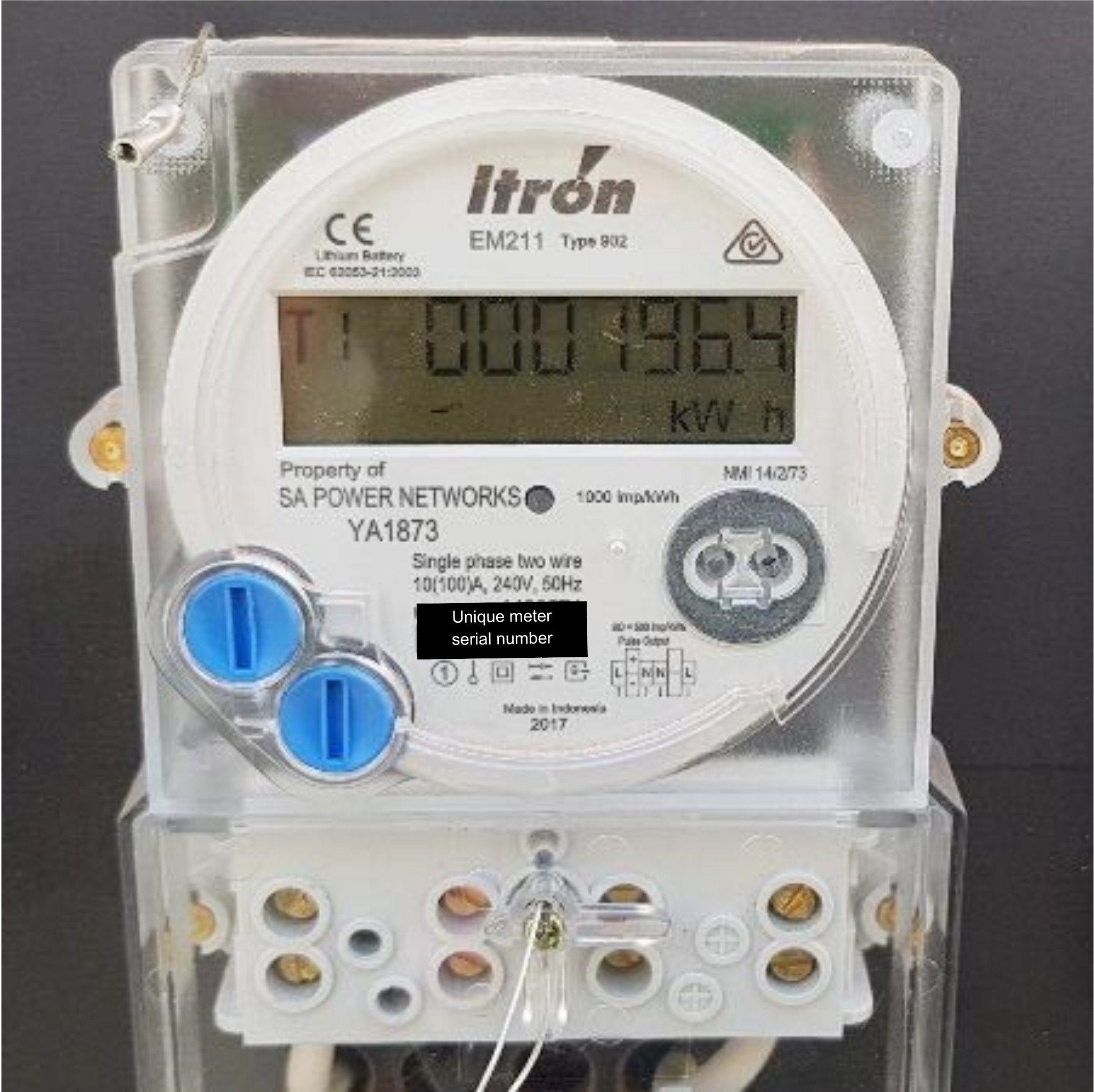
This Type 4 meter reading is 000196
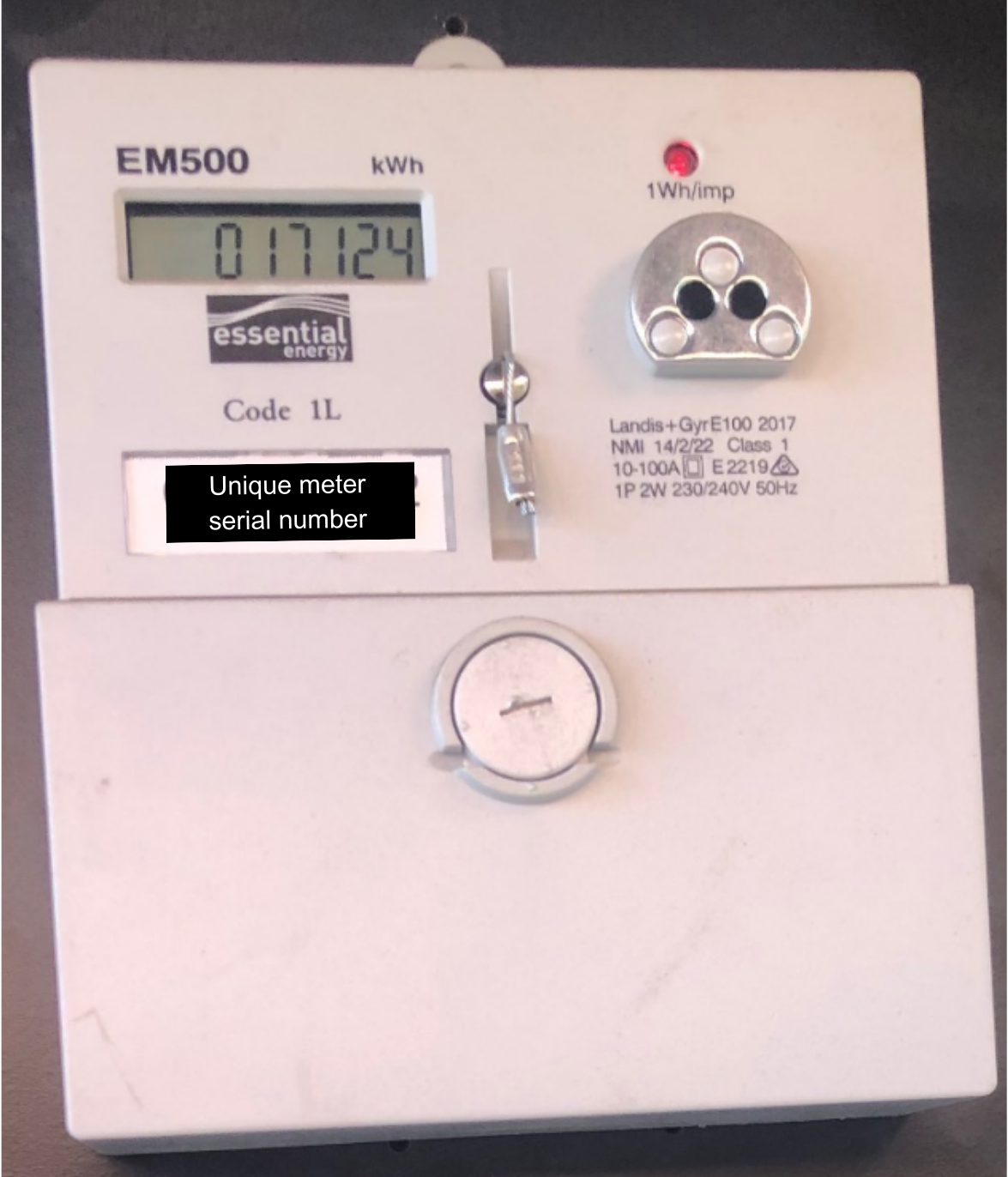
This Type 5 meter reading is 017124
How to read:
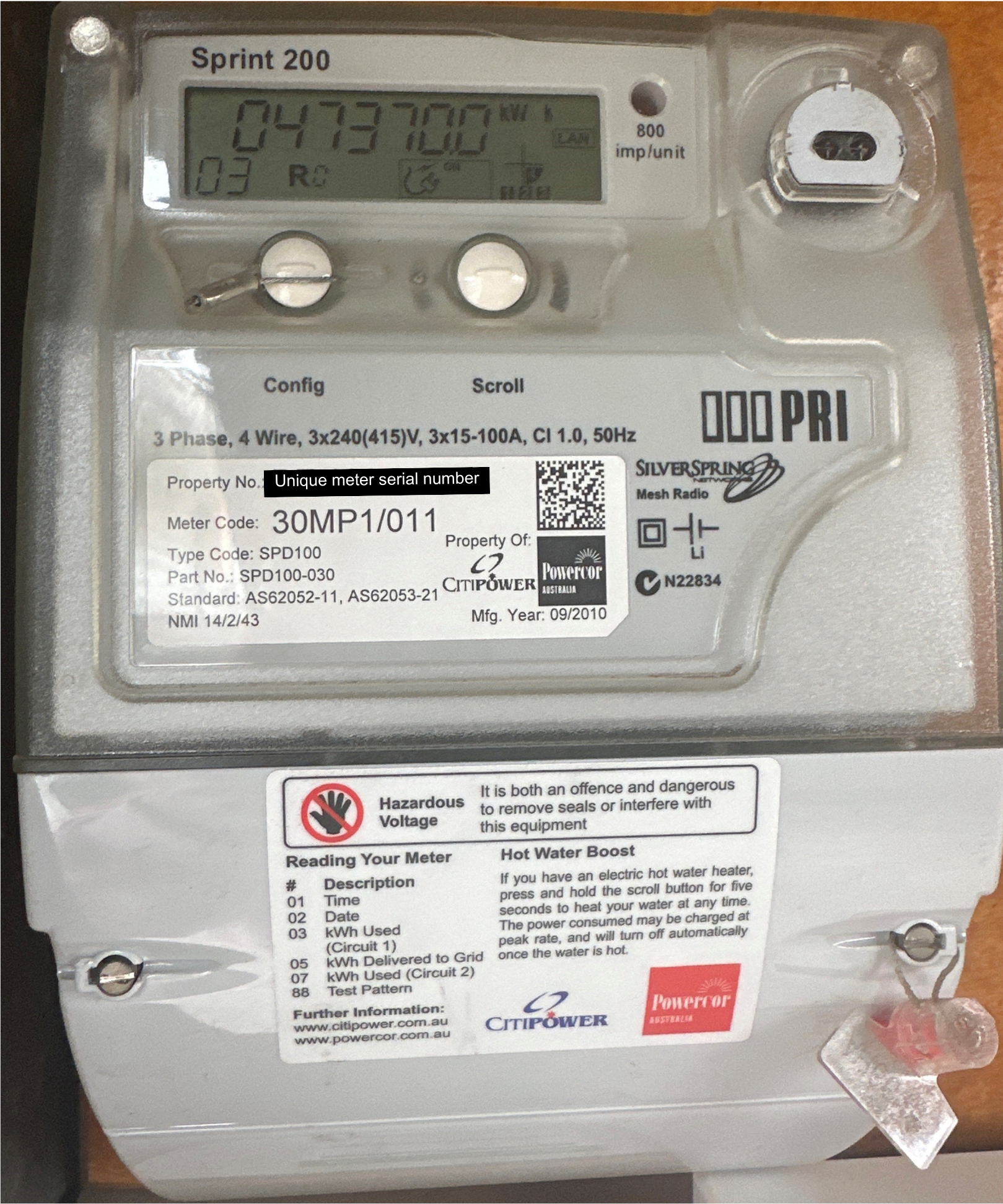
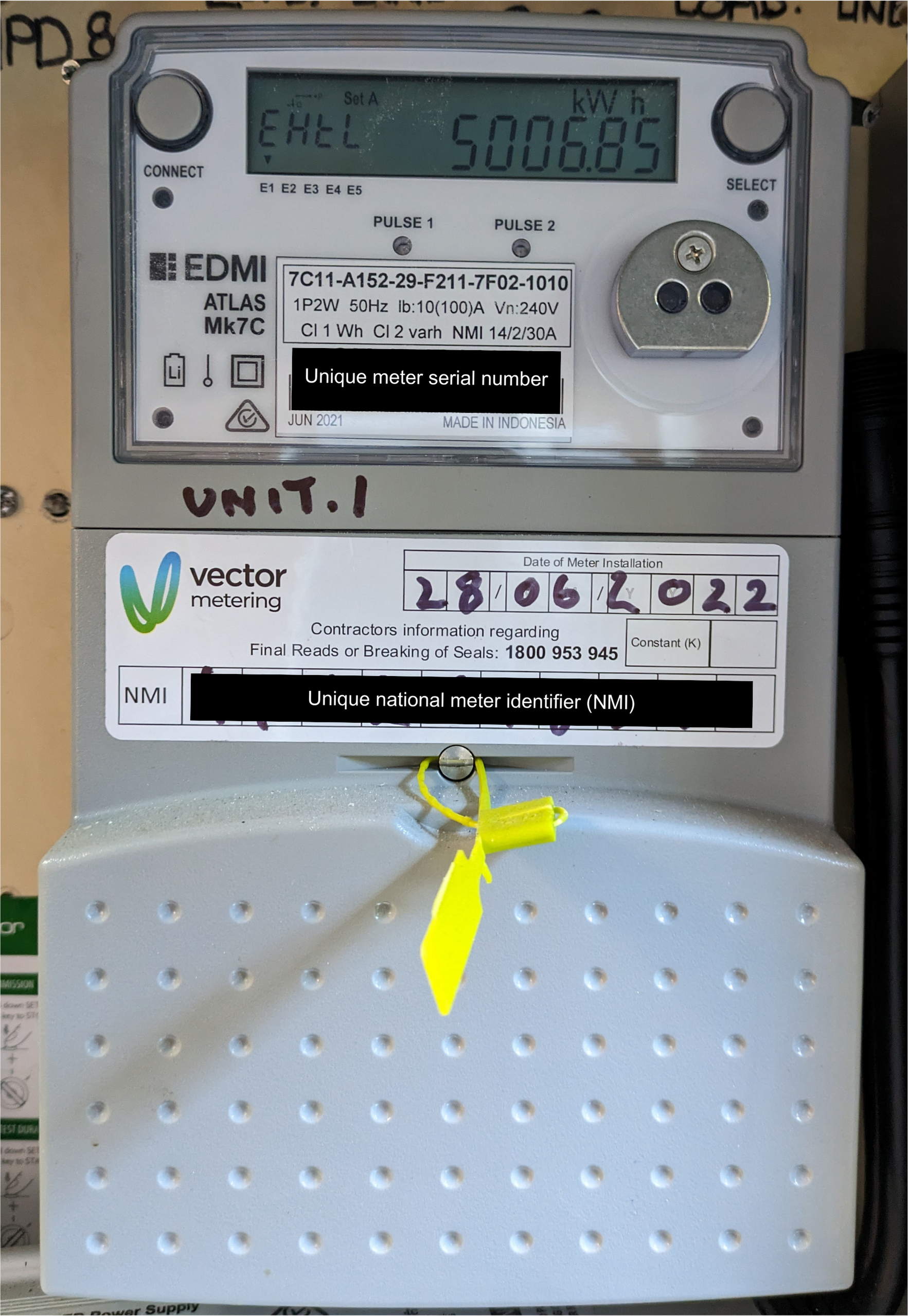
The usage data for remotely read smart meters is sent directly to the meter service provider/Distributor and in most cases no visit to your property is required.
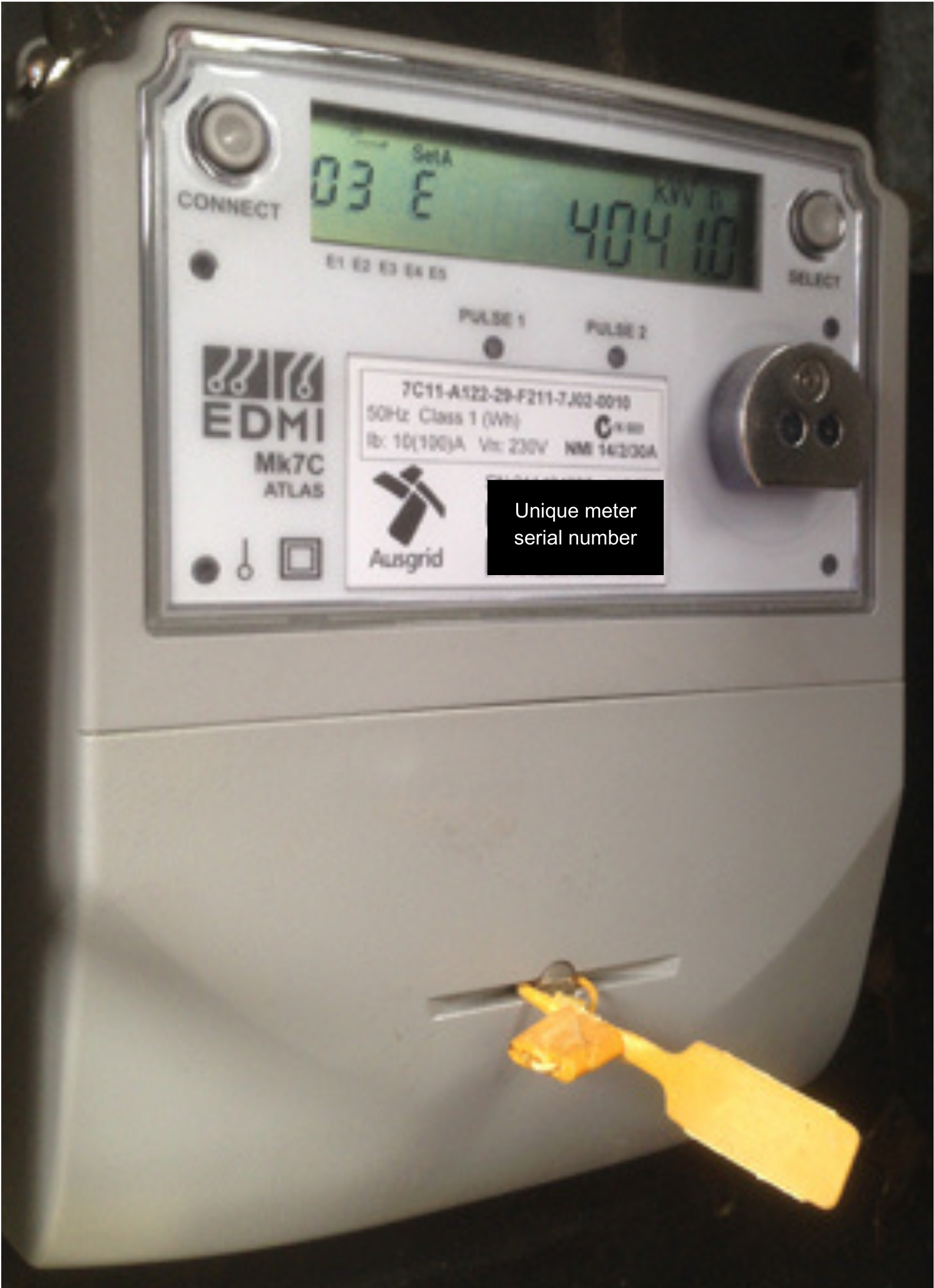
These meters can’t be read remotely, nor can a self-read be performed. The meter service provider/Distributor will need to physically download the data from your meter. If you’ve received an estimated bill and would like to arrange a reading, please contact us.
If you are an existing residential or business customer, we can arrange for works to be progressed at your site by your local poles and wires company.
If you are moving into a property or switching from another provider, you please complete this sign-up form to ensure your request is processed promptly.
Fill in the form below for:
Addition / Alteration to your existing electricity support, or;
Abolishment / Removal of your meter and / or existing electricity supply.
Additions / Alterations or Abolishments
If you are moving in to a property or switching from another provider, you can fill in our online form here.
We can help you get electricity connected to your new home, small business or building site.
If you are moving into a property or switching from another provider, you please complete this sign-up form instead to ensure your request is processed promptly.
Connection to supply electricity for the first time; and;
Installation of a new electricity meter.
Alternatively, you can fill in our New Connection Application Form and email us back at customerservice@diamond-energy.com.